54% OFF, Save $54
16 lessons
Architecture · All levels

Course ” Architectural Visualization Using Lumion….. explained on Lumion 10.5″
The course is suitable for architects, civil engineers, architecture students from the second year onward, civil engineering students, and anyone interested in architectural visualization
Introduction to Lumion 10.5
Installing and activating Lumion 10.5
Explanation of the entire software interface
Explanation of Navigation ( Navigation ) in the software
How to export and import from Revit to Lumion and vice versa
How to export from 3ds Max to Lumion and vice versa
Weather and climate settings in the software and how to modify them
How to add people and various nature elements to the project
Landscape in the software
Materials in the software
Objects ( Object ) in the software
Layers ( Layers )
How to add lighting in the software
How to render views and apply various effects to them
How to add sound effects to the project
How to create videos in different formats HD , 4K and 360 panorama motion
How to animate clouds, cars, people, and more
How to add a new environment
Some professional tools from real work practice that get you professional results in a short time
The course consists of high-quality recorded videos that you can watch at any time that suits you and download to your device at any time, and they stay with you. Not only that, there is also a technical support team to answer questions and inquiries at any time, for life, not just during the course period
(Lumion 10 – Revit 2019 )
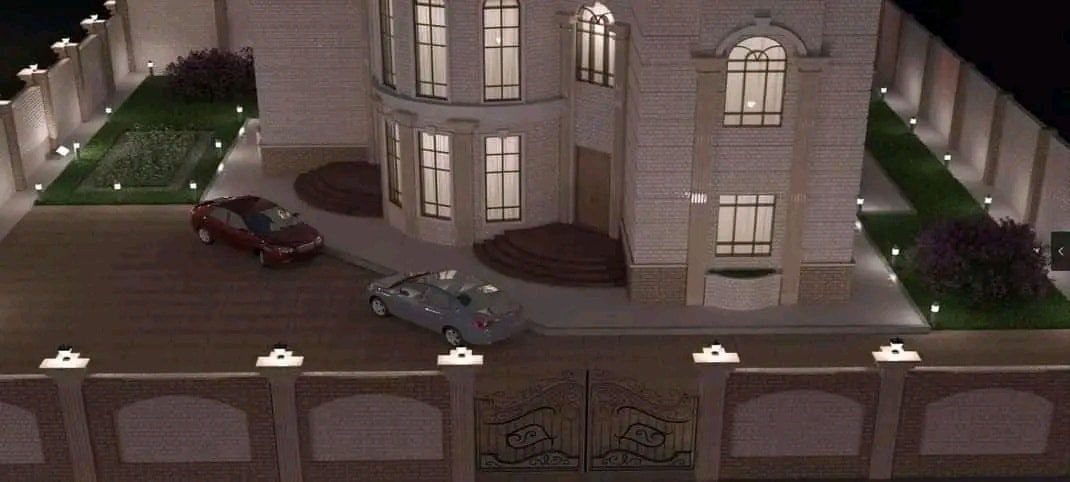
Attached are images from the course output tests
What the participant gets
At the end of the course, the participant receives a certificate accredited by the Academy
Chat with us on WhatsApp
Open WhatsApp app